

Thermostat Says “Cool On” in San Diego? Try These DIY Checks
My Guy is Proud to Be "Your Guy" for Your Home
If your thermostat says cool on, but the house still feels warm, you are likely dealing with a frustrating situation. This is a common issue during a hot San Diego afternoon, and it usually means the thermostat is calling for cooling, but the system is not fully responding.
In many homes, the fix is simple. A dead thermostat battery, a dirty filter, or a tripped breaker can stop your air conditioner from starting even when the display looks normal. Before you assume you need professional ac repair, start by inspecting your HVAC system with the quick checks below. Taking these steps can often restore comfort to your home without the need for an immediate service call.
Key Takeaways
- “Cool On” simply indicates that your thermostat is requesting cooling, not that the system has successfully started or is currently blowing cold air.
- Common DIY solutions include replacing thermostat batteries, resetting tripped breakers, changing dirty air filters, and ensuring all vents are clear of obstructions.
- Always wait at least five minutes before troubleshooting, as many HVAC systems have built-in startup delays to protect the compressor from rapid cycling.
- If your system exhibits signs like burning smells, persistent tripped breakers, or frozen coils, stop troubleshooting and contact a professional technician to prevent further equipment damage.
What “Cool On” Means When the AC Stays Off
When the thermostat shows “Cool On,” or you notice the thermostat blinking cool on, it means the control is asking the system to run. It does not confirm that the outdoor condenser, indoor blower, or compressor has successfully started.
Sometimes this status is perfectly normal. Many thermostats and HVAC systems include a startup delay, which acts as a compressor safety feature to protect your equipment from rapid cycling. If you have recently adjusted your settings, wait five minutes before assuming something is wrong with your unit.
This distinction is important because the same interface often manages your heating and cooling, including your furnace during the winter months. If the command reaches the display but stops somewhere else in the HVAC system, the screen will appear to function normally while your home remains uncomfortable.
This quick table helps narrow down the potential issues.
| What you notice | Likely cause | First DIY move |
|---|---|---|
| “Cool On” shows, but nothing runs | Built-in delay, dead batteries, bad setting | Wait 5 minutes, replace batteries |
| Indoor fan runs, outdoor unit stays silent | Breaker, disconnect, drain safety switch | Check power and drain line |
| Weak airflow and warm air | Dirty filter or frozen coil | Replace filter, turn cooling off |
The pattern of behavior matters more than the specific status words displayed on the screen.
DIY checks before calling for AC repair
Start your troubleshooting process inside, then move your inspection outside. Keep the thermostat set several degrees below the current room temperature while you perform these tests.
- Check the basics first. Make sure your thermostat settings are correct. Ensure the unit is set to cool mode, not heat, and that the fan is set to auto instead of on. If your device uses a thermostat battery, replace it with fresh ones, even if the screen still lights up.
- Give the system a few minutes to respond. Some units include a built-in delay after a power change or temperature adjustment. That pause is normal and can sometimes look like a system failure when the unit is simply waiting to restart.
If the fan is set to on, the blower may run continuously even when the outdoor unit never starts.
- Look at your air filter. A clogged air filter can choke airflow and even freeze the indoor coil. If the filter looks gray or is heavily packed with dust, replace it immediately and let the system run again to see if it resolves the issue.
- Check your vents and doors. Closed supply vents, a shut return grille, or a blocked hallway can reduce airflow enough to cause performance trouble. In San Diego homes, this issue often becomes apparent quickly on warmer inland days.
- Check power connections safely. Look at the breaker box for your indoor unit and the separate breaker for the condenser. If one has tripped, flip it back to the reset position once. If it trips again, stop your troubleshooting and call a professional.
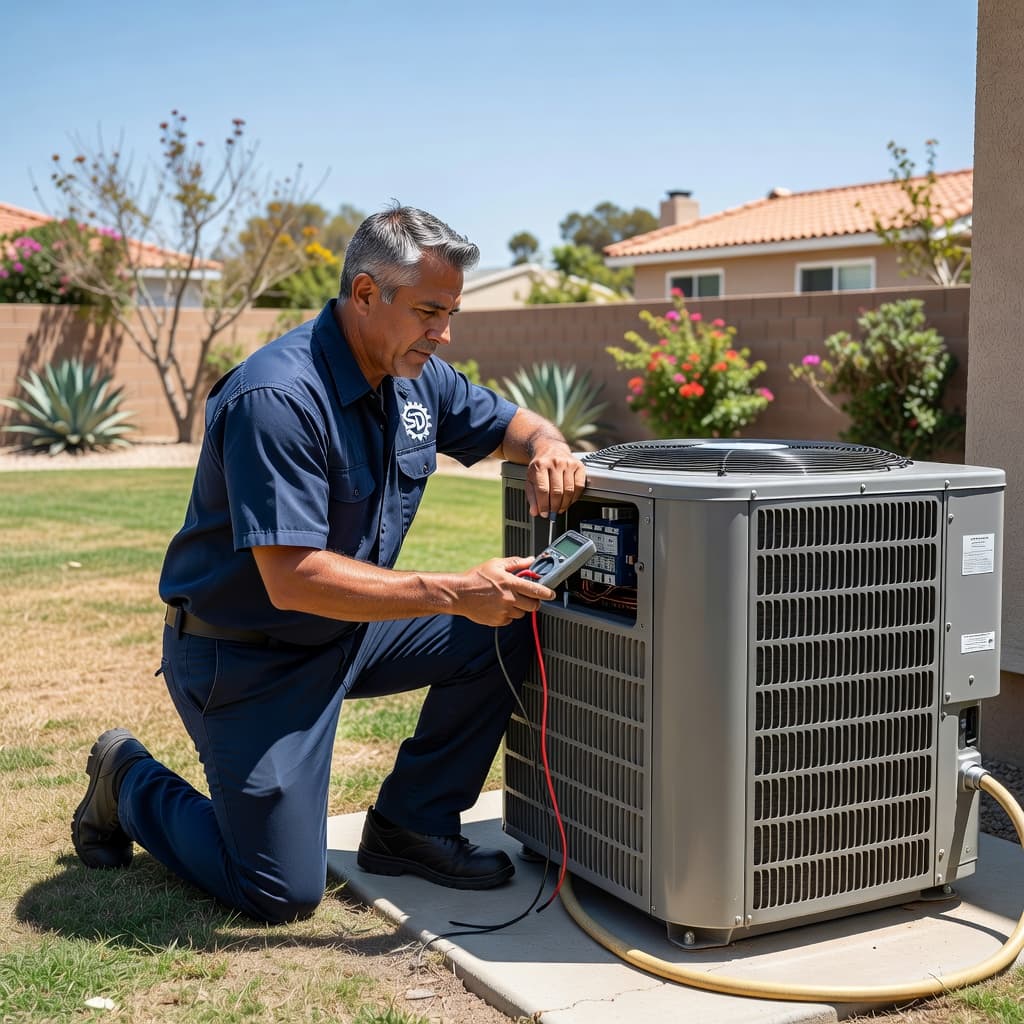
6. Inspect the outdoor unit. Clear away leaves, dirt, and any debris pressed against the condenser. Then, listen for signs of life. A hum, click, or brief start-up attempt can point to a different issue than total silence. 7. Look for water near the indoor unit. Some systems automatically shut off cooling when the condensate drain backs up. If the drain pan is full, the float switch may be stopping the call for cooling to prevent water damage.
If your system starts after one of these DIY checks, watch it for the next day. If it stops cooling again, the thermostat may not be the root of the problem.
When to stop troubleshooting and call an HVAC professional
Some problems require specialized tools, precise testing, and safe electrical work. If your breaker keeps tripping, the copper line is iced over, the outdoor unit hums but won’t start, you smell something burning, or you notice the system is short cycling, it is time to skip the trial and error.
These signs often point to a bad capacitor, a failed contactor, low refrigerant, a blower problem, or a persistent clogged drain. At that point, professional HVAC service is faster and safer than guessing. If you need local help, reliable air conditioning and heating services can accurately diagnose the thermostat, controls, and cooling equipment without the usual back and forth. Addressing these complex issues promptly as part of your regular HVAC maintenance is the best way to extend the life of your system.
A simple thermostat message can hide a larger system fault.
Final Thoughts
When your thermostat display indicates that cooling is active, it only confirms that the system has received a request. Even with modern smart thermostat technology, your HVAC system can experience a disconnect between the digital signal and the actual mechanical operation. Often, the root cause involves power supply issues, restricted airflow, drainage problems, or trouble with the outdoor condenser unit.
If these simple troubleshooting steps do not resolve the issue, it is best not to wait for the next heatwave. You can Book Online to have a professional technician inspect your system before a minor complication turns into a full system failure on a hot day.
FAQ
Why does my thermostat say “Cool On” but no air is blowing?
The thermostat might be in a delay mode, showing a wait message or waiting for equipment status on the display. This is a normal safety feature. However, it could also be due to weak batteries or a loss of power to the blower. Try to reset thermostat settings if the software seems to have hung, replace the batteries, and inspect the breaker before assuming the thermostat has failed.
Why is my indoor fan running but the outside unit is off?
This behavior often points to a power loss at the condenser, a tripped breaker, or a tripped drain safety switch. It can also indicate that the contactor or capacitor has failed. Because these electrical components involve high voltage, they are not suitable for DIY repair.
Can a dirty filter really stop air conditioning?
Yes. A badly clogged filter can restrict airflow so significantly that it causes the indoor coil to freeze. When this happens, the system may run without cooling effectively, or it may trigger a compressor protection sequence. Some systems use a minimum off timer to prevent damage, which can make it feel like the unit is not responding correctly.
Can the same thermostat affect my heating or furnace too?
Yes. Many San Diego systems use one thermostat for cooling and heating, including a gas furnace or heat pump setup. If you notice similar control problems in winter, expert heating and furnace repair can help sort out whether the issue is the thermostat or the equipment behind it.